+ Nvidia Posted A $96 Billion Quarter And Promised An Even Bigger Year
On August 26, Nvidia, the company whose chips power nearly all of today's AI, reported $96.2 billion in revenue for the quarter, up 106 percent from a year ago. Its data center business, the part that sells to AI companies, brought in $89 billion of that on its own. Nvidia told investors to expect roughly $108 billion next quarter, and for the first time in its history gave a forecast a full year ahead: 70 percent growth in fiscal 2028, far above what Wall Street had modeled.
Two details sat behind the headline numbers. Nvidia's commitments to buy parts and materials more than doubled in three months to $279 billion, mostly memory chips that are now in short supply. And the company said profit margins will dip slightly next quarter because memory prices are rising, the same shortage pushing up prices on laptops, phones, and servers. Chief executive Jensen Huang said AI "has reached its inflection point."
What it all means: The clearest measuring stick for the AI boom just doubled again, and management put its own credibility behind another full year of it. The memory shortage is the part that reaches everyone else, because the components AI companies are hoarding are the same ones inside the computers your business buys.
+ OpenAI Published Proof Its First Chip Beats Nvidia's Best
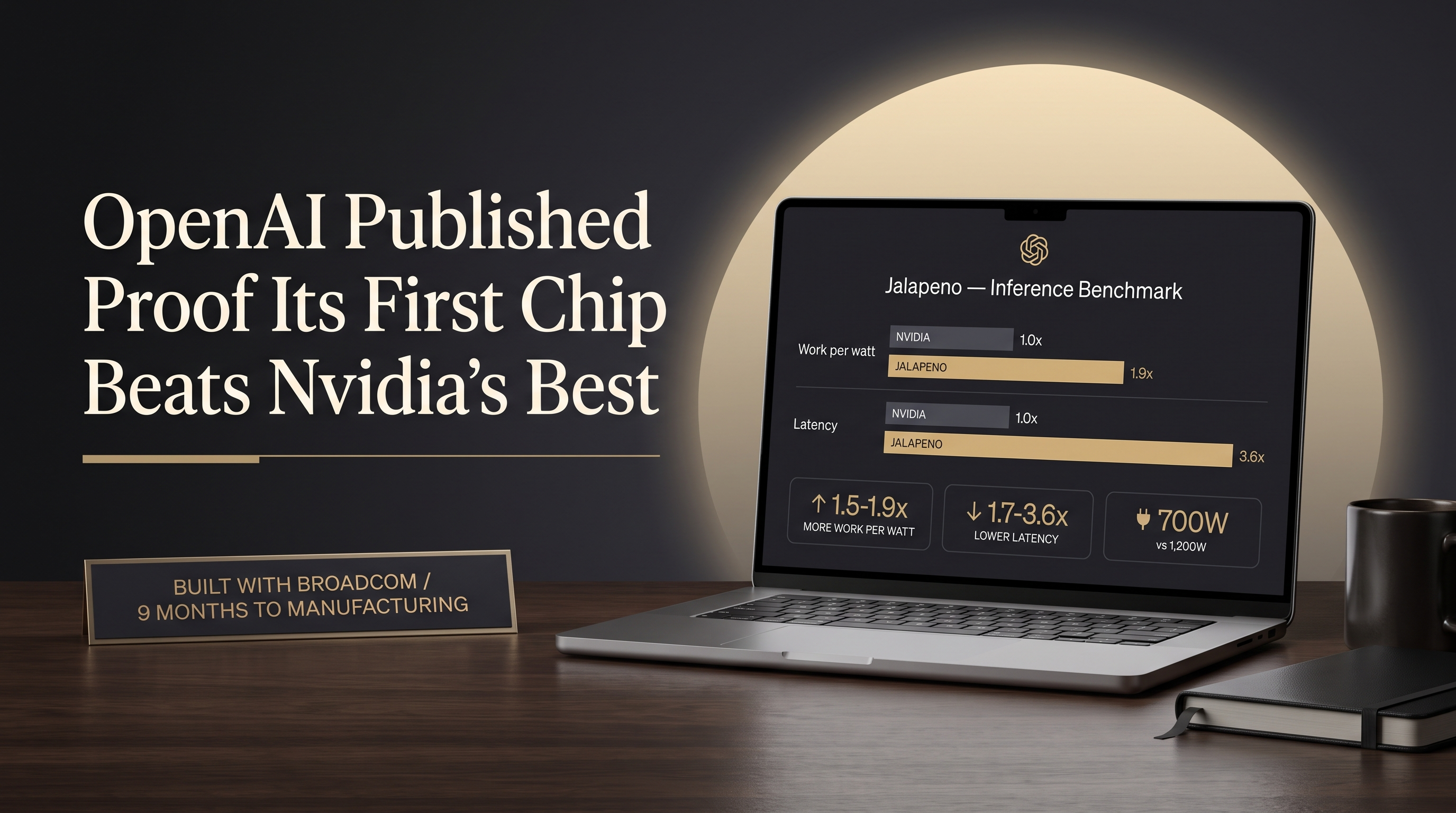
On August 26, the same day Nvidia reported earnings, OpenAI published the first performance results for Jalapeño, the chip it designed with Broadcom to run its AI models. The numbers: 1.5 to 1.9 times more AI work per unit of power than Nvidia's newest systems, with answers coming back 1.7 to 3.6 times faster, all while drawing 700 watts against Nvidia hardware rated at 1,200. Sam Altman's entire commentary: "we made a chip and it is fast."
The chip only runs AI models, it does not train them, so OpenAI still buys Nvidia hardware to build new models. OpenAI says its own AI helped design the chip, taking it from first sketch to ready-for-manufacturing in nine months, and it will not sell Jalapeño to anyone. The chips go into OpenAI's own data centers by the end of this year, with two more generations already in development.
What it all means: Google, Amazon, Meta, and now OpenAI all build their own chips, because running AI is the biggest cost in the business and Nvidia's prices are the biggest line in that cost. Every chip like this pushes the price of using AI down over time. Publishing the results hours before Nvidia's earnings call was a message of its own.
+ The Mystery Model Everyone Was Testing Turned Out To Be Chinese, On Chinese Chips
For about a week, a free, unbranded model called Ox Alpha sat on public AI portals with no company name attached, handling text, images, and video and holding its own against the best American models. Developers swarmed it, running more than 60 trillion words of work through it by one count. On August 26, Chinese AI lab Zhipu revealed the model as its own GLM-5.3-Flash and released it for anyone to download.
The detail that landed hardest: Zhipu says the entire public trial ran on roughly 100,000 Chinese-made processors, with no American hardware involved, and the model family was trained on chips from Huawei. Zhipu priced the model at roughly a tenth of what US frontier models charge. The company's stock jumped more than 12 percent on the reveal.
What it all means: American export rules rest on the assumption that China cannot run top-tier AI without American chips. This was a public demonstration to the contrary, staged as a stunt and confirmed by the traffic. For buyers, a capable model at a tenth of the price changes the math on what is worth automating, wherever it comes from.