Wyecliff
All editions

Washington's AI Off Switch | Wyecliff Weekly #28

June 19, 20265 min read
The AI stories that actually matter this week | Edition #28 | June 19, 2026
Control was the theme this week, and not the comfortable kind. The U.S. government switched off Anthropic's two most powerful models with a phone call and a letter. Microsoft shipped an AI that does multi-step work on its own. And the heads of the biggest AI labs sat down with world leaders at the G7 to argue over who writes the rules. Let's get to it.

Now Available: The Wyecliff Weekly Podcast

Prefer to listen? Every edition of the Wyecliff Weekly is now generated as a podcast. Same stories, same analysis, same lessons. Just press here.
Listen to this edition

Top Stories

+ Washington Switched Off Anthropic's Two Most Powerful AI Models

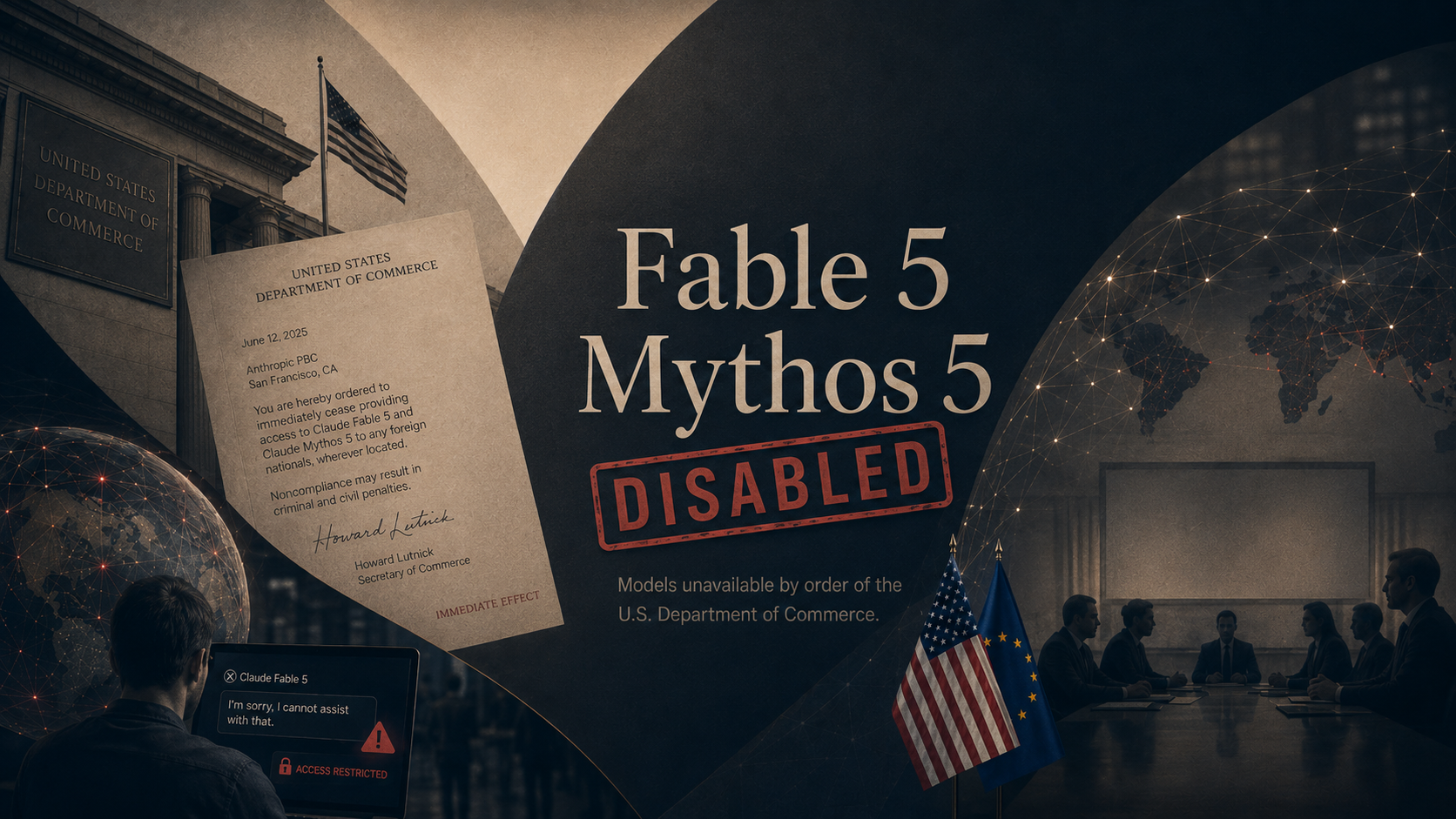
On June 12, the U.S. Commerce Department ordered Anthropic to stop giving any foreign national access to its two strongest models, Claude Fable 5 and Claude Mythos 5. The order, delivered by phone and a signed letter from Commerce Secretary Howard Lutnick, reached every foreign person inside the country or out, including Anthropic's own non-citizen staff, and threatened criminal and civil penalties. There was no way to block only some users, so Anthropic disabled both models for everyone, on its own servers and on Amazon's. Its other models, including Claude Opus 4.8, kept running. The stated reason shifted over the week. Officials first pointed to a flaw that let researchers coax Fable 5 into writing a working blueprint for breaking into software. By the time Lutnick spoke publicly, the worry had widened to the models reaching military users in China or Russia. The same government bodies that spent thousands of hours testing the models before release were now the ones pulling them. Days later the models are still dark while Anthropic and Commerce negotiate their return, and the U.S. and Europe have started discussing a trusted partner plan that would let allied governments test top models again.
What it all means: A frontier AI model turns out to be less like a factory a company owns and more like a license the government can revoke between lunch and dinner. Anthropic spent years arguing for exactly this kind of state power over dangerous models, and it became the first company that power was used against. Every lab building at the frontier now knows its best product can be switched off overnight, and so does every customer who builds on one.

+ Microsoft Released An AI That Does Multi-Step Work On Its Own

On June 16, Microsoft made Copilot Cowork available worldwide to its business customers after a three-month preview. Unlike a chatbot that answers one question at a time, Cowork takes a job described in plain language and carries it out across Outlook, Teams, Word, Excel, and your calendar, planning and acting over hours or even days. More than half of the Fortune 500 tried it during the preview. Microsoft says Cowork costs 30 to 40 percent less to run than Anthropic's competing offering, and it plans to release its own model, called Cowork 1, to bring the price down further. The launch is the clearest sign yet that the assistant inside the Office apps your team already uses is moving from answering questions to doing the work.
What it all means: The pitch has changed from ask the AI to assign the AI. Tools that finish multi-step jobs on their own are now a standard feature of software companies already pay for, not a science project. The hard part shifts from getting an answer to checking work you did not watch happen.

+ The World's Top AI Leaders Met G7 Heads Of State In France

On June 17, the chief executives of Anthropic, Google DeepMind, and OpenAI joined about a dozen tech leaders for a closed-door lunch with G7 heads of state in Évian-les-Bains, France. Dario Amodei of Anthropic and Demis Hassabis of Google DeepMind called for a U.S.-led group to set global AI rules, and Canadian Prime Minister Mark Carney agreed the U.S. could take the lead. President Trump attended alongside his Treasury, Commerce, and State secretaries. Amodei proposed that countries cooperate on controlled access to the most powerful models, on trade in AI chips that excludes China, and on the risks of AI in hacking, bioweapons, and intelligence. The meeting came days after Washington forced Anthropic to pull its top models offline. No binding agreements came out of it.
What it all means: The companies building the technology are openly asking governments to police it, with the U.S. in charge. That request arrived the same week the U.S. showed it can pull a model off the market on its own say-so. Allied governments now have to weigh building on American AI against the fact that American access can be withdrawn without notice.

More Stories

SpaceX Is Buying The Company Behind Cursor For 60 Billion Dollars.

On June 16, Elon Musk's SpaceX signed an agreement to buy Anysphere, the startup behind the popular AI coding tool Cursor, for 60 billion dollars in stock, days after SpaceX went public in the largest market debut in history. Cursor competes with Anthropic's Claude Code and OpenAI's Codex, and the deal pulls a major independent player inside Musk's growing AI empire.

Meta's Facebook Now Answers Questions Using Your Group Posts.

On June 15, Meta launched AI Mode, a way to search Facebook that pulls answers from public posts across Groups, Reels, and the rest of the platform. Meta has not said whether group admins or members can keep their public posts out of the results.

Half Of Americans Now Use AI Chatbots, And Trust Is Falling.

A Pew Research Center report released June 17 found about half of U.S. adults now use an AI chatbot, with a quarter using one daily, up sharply from two years ago. Yet nearly 40 percent expect AI to make society worse over the next 20 years, and the under-30 crowd that uses these tools most trusts them least.

ICYMI: OpenAI And Visa Will Let AI Agents Pay For Things.

Announced June 12, the partnership lets an AI agent make Visa payments inside limits you set, so you can tell it to buy something or pay a bill without leaving the chat. It is an early look at a coming shift where the assistant does not just find the thing, it checks out too.

Why It Matters

Strip away the particulars and the week was about control, specifically who gets to switch AI on and off. A government turned off a private company's best product. The labs asked world leaders to decide who may use the most powerful models at all. And the assistant inside everyday software started doing the work instead of just answering about it. Underneath the deal sizes and the launches, the fights this week were over the levers, and over whose hand sits on them.

For You

Half the country now uses these tools, and the half that uses them most trusts them least, so the people you work with and buy from are leaning on AI while bracing for it to go wrong. Meta will now answer strangers' questions using what you posted in a Facebook group, with no clear way to opt out. And the same models you might rely on at home can be switched off by a government decision you never see. For most people the practical choice now is how much of your data and your daily routine to hand to systems someone else controls.

For Your Work

The most capable models can now be pulled offline by the state with little warning, which matters if your plans lean on any single one. The practical hedge is the one that has always made sense: know which model sits behind the tools you use, and keep a second option you could switch to. At the same time, Microsoft put an AI that completes multi-step jobs into the Office apps your team already runs, so the skill that matters is shifting from getting a good answer to checking work the AI did when no one was watching.

One Thing To Try This Week

How to Turn A Spreadsheet Into Charts And Plain-Language Insights

Last week we turned a document into a finished slide deck. This week we stay with files you already have and point all three tools at the one most people avoid: a spreadsheet full of numbers. Upload it, ask in plain language what it shows, and get back charts and a written takeaway you can drop into a report. No formulas required.

Claude (via Cowork or claude.ai)

  1. Go to claude.ai or open the Claude app. Start a new chat and click the + button to attach your spreadsheet or CSV file. Data analysis and file creation work on every plan, including free.
  2. Ask: "What does this data show? Pull out the three most important trends in plain language." Claude reads the file and writes a summary.
  3. Then ask: "Make a chart of [the column you care about] over time, and build me an Excel file with a summary tab." Claude generates an interactive chart you can explore plus a downloadable Excel or image file.
  4. Download the file or save it to Google Drive. Everything stays editable.

ChatGPT

  1. Start a new chat and click the paperclip icon to upload your Excel or CSV file. This works on every plan, with tighter limits on free.
  2. Ask: "Analyze this file and tell me the three biggest takeaways, then chart them." ChatGPT writes and runs code behind the scenes to do the analysis.
  3. For visuals, say: "Show that as a bar chart" or "line chart." ChatGPT can produce interactive bar, line, pie, and scatter charts you can hover over, plus downloadable images.
  4. Keep going in plain language: "Now break it down by region" or "Which month was the outlier, and why."

Microsoft Copilot

  1. This uses Copilot in Excel and needs a Microsoft 365 Copilot license through work. Open your spreadsheet in Excel and format the data as a table: select it, then Insert, then Table.
  2. Click the Copilot button on the Home ribbon.
  3. Ask: "Analyze this data and show key trends" or "Add a column chart of sales by month." Copilot surfaces insights, adds charts, and can build PivotTables inside your file.
  4. Refine with follow-ups like "Highlight the top five rows" or "Summarize this for an executive."
Bonus: On free Copilot at copilot.microsoft.com, you can still paste a small table into the chat and ask for analysis and a chart, even without the Excel license.
Try This Prompt
I've attached a spreadsheet. In plain language, tell me the three most important things it shows, name the single biggest outlier and your best guess at why, and create one clear chart of the most important trend. Assume I am presenting this to people who have not seen the data.

Spread The Word

Love the Wyecliff Weekly? Refer a friend and earn rewards on our referral program.

See the referral tiers
Wyecliff Weekly

Never miss an edition.

Wyecliff Weekly lands every Friday at 6 AM Mountain. One short email with the moves that matter, a prompt to run on Monday, and one playbook from the field.

One email a week. No spam. Unsubscribe anytime.

Common Questions

When does Wyecliff Weekly arrive?
Every Friday morning at 6 AM Mountain. One email a week with the biggest AI stories, what they mean for your work, and one thing to try before Monday.
Is Wyecliff Weekly free?
Yes. Subscribe with your work email and read every edition at no cost. We write for operators who want plain takes, not a sales pitch.
What is inside each edition?
Top AI news with context, a short take on why it matters for your business, and one practical prompt or workflow you can run this week.
How do I unsubscribe?
Every email includes an unsubscribe link at the bottom. One click and you are off the list. No hoops.
/newsletter/wyecliff-weekly-edition-28